
OpenAI Ads Manager: Hands-On Guide to Every Screen (2026)
Every section of OpenAI Ads Manager, mapped from a live advertiser account with screenshots of every key screen: Overview, Campaigns, Tools, Billing, and Settings - plus the two required tasks that block serving and the 4-step conversion wizard.
Viren Inaniyan · August 29, 2026 · AI Search Visibility
This is a first-hand walkthrough: we run live campaigns inside the Ads Manager Beta, and every screen described here comes from our own account, not from OpenAI's docs. There is no public tour of the console, so here is the complete map: every section, the beta welcome flow, the required tasks that silently block serving, and the four-step conversion wizard. Updated September 3, 2026 - India's self-serve open is tomorrow, September 4, at a ₹725 minimum daily budget (Storyboard18, Aug 2026).
What Ads Manager is and how you get in
OpenAI began testing ads in ChatGPT in the US on February 9, 2026, at $60 CPMs with a $200,000 minimum. The self-serve Ads Manager beta that opened in May 2026 eliminated both - any business can sign up at ads.openai.com with no minimum lifetime spend (OpenAI, May 2026). It now serves the US, UK, Canada, Australia, New Zealand, Japan, and Korea, with India's self-serve opening September 4, 2026 at a ₹725 minimum daily budget (Storyboard18, Aug 2026).
A note on login, since people search for a "ChatGPT ads login" page that does not exist: the only way in is ads.openai.com, signed in with your OpenAI business account - there is no ads section inside the ChatGPT app itself.
The beta welcome flow is short but strict. You create the advertiser account with your legal entity name and website, then Ads Manager collects business details, a tax ID, a billing method, identity verification through Persona, and an account logo. The logo matters more than it sounds: it renders next to every ad (the favicon shows at 32×32), and the review screen blocks you with "We couldn't find a business logo" if you skipped it. A welcome note also tells you delivery ramps slowly during the beta by design - believe it, and judge nothing before two to three weeks of impressions.
Who can get into Ads Manager right now
Access is a question of geography and verification, not spend. Self-serve has been open in the US since May 2026, and through 2026 OpenAI extended the Ads Manager Beta to the UK, Canada, Australia, New Zealand, Japan, and Korea (OpenAI expansion posts, 2026). India is next: self-serve opens to any Indian business on September 4, 2026, at a ₹725 minimum daily budget - no agency required (Storyboard18, Aug 2026).
A live market gets you a login, not delivery. Business verification is the real gate: business details, a tax ID, a billing method, Persona identity verification, and an account logo all have to clear before ads serve. We track the market-by-market state in our rollout tracker.
What it costs once you're in
The floor is a $25 minimum daily budget per campaign, and billing is postpay - you are charged after delivery, not upfront. Recommended starting CPC bids run $3-5 in most categories, and CPM options run roughly $25-60 (WebFX; OpenAI docs, 2026). We break down what that buys at the floor in minimum budget and what typical accounts actually pay in benchmarks.
The hierarchy: campaign → ad group → ad
Everything in Ads Manager hangs off three levels, and each level owns different decisions.
Campaign - objective (Clicks or Reach), locations (country, region, DMA, or postal code), and daily budget ($25 floor). Bid models are CPM for reach, CPC for traffic, and conversion-optimized CPC, where OpenAI optimizes delivery toward your selected conversion event but still charges per click (OpenAI Help Center, article 20001210).
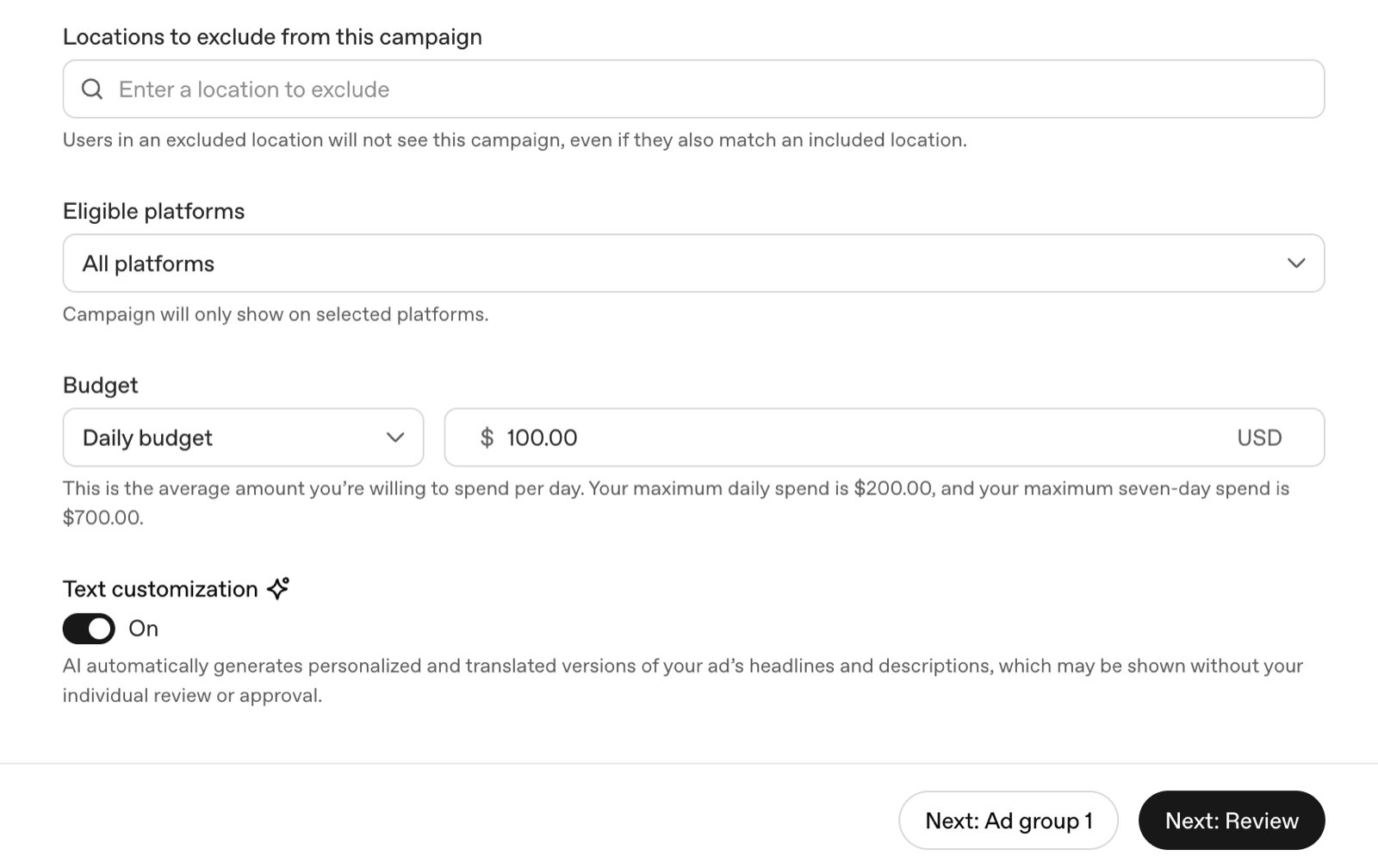
Ad group - bidding (Maximize results or Manual Max CPC against a relevance-weighted second-price auction), the default destination URL, landing-page query parameters, and context hints. There are no keywords anywhere in the interface. Matching is conversational - the current conversation, past chats, past ad interactions - and hints are your only steering wheel. OpenAI recommends 5-15 discrete 1-2 sentence buyer-moment descriptions per ad group; they guide matching but are not exact-match rules (OpenAI help docs, 2026).
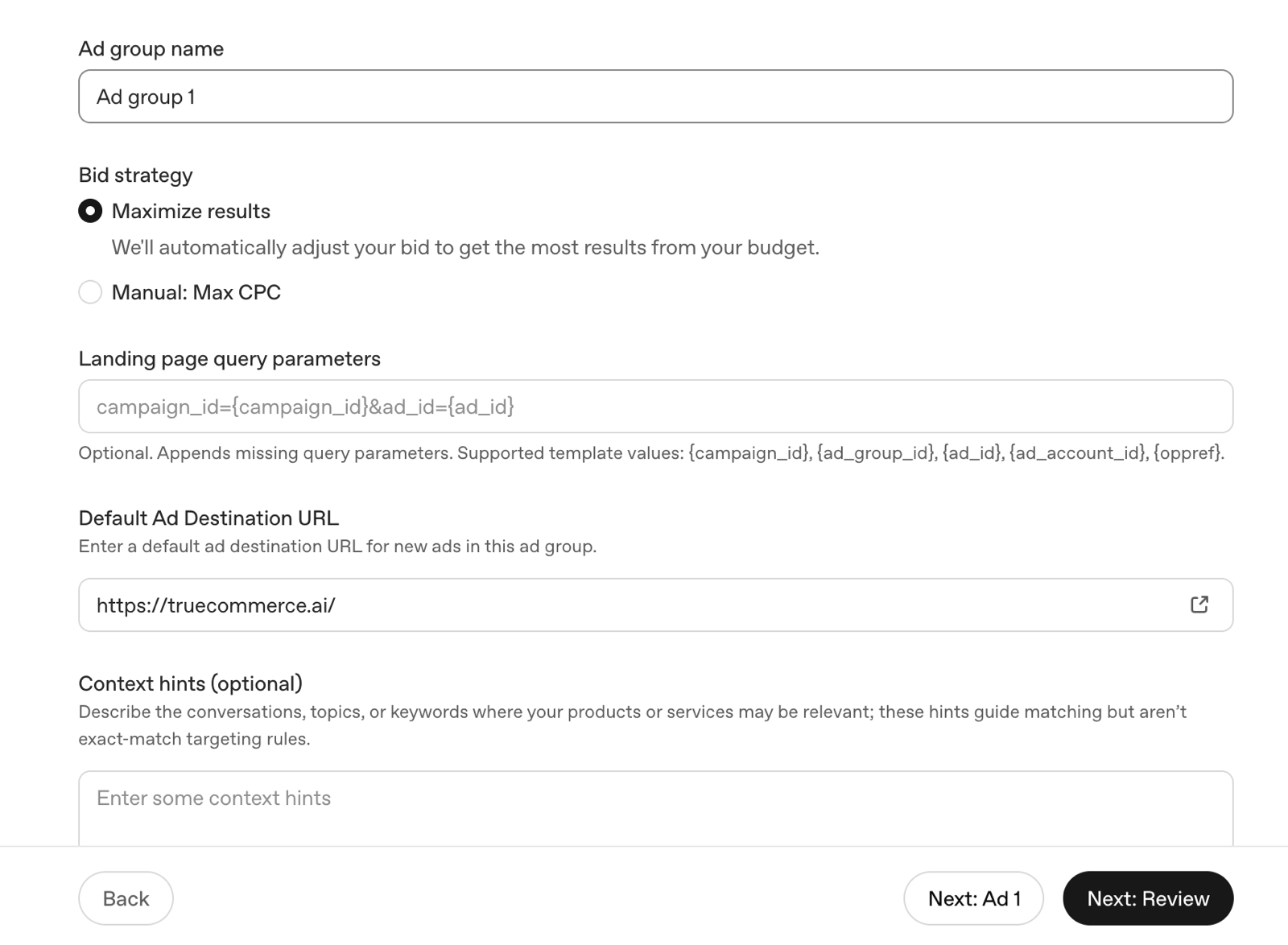
Ad - title (50 characters), description (100 characters), a square image of at least 256×256, and a destination URL that can override the ad group's. The ad renders as a single labeled sponsored box below the answer, one advertiser per matched conversation. The full build sequence, screen by screen, is in our setup guide.
Overview: the home screen and the required tasks
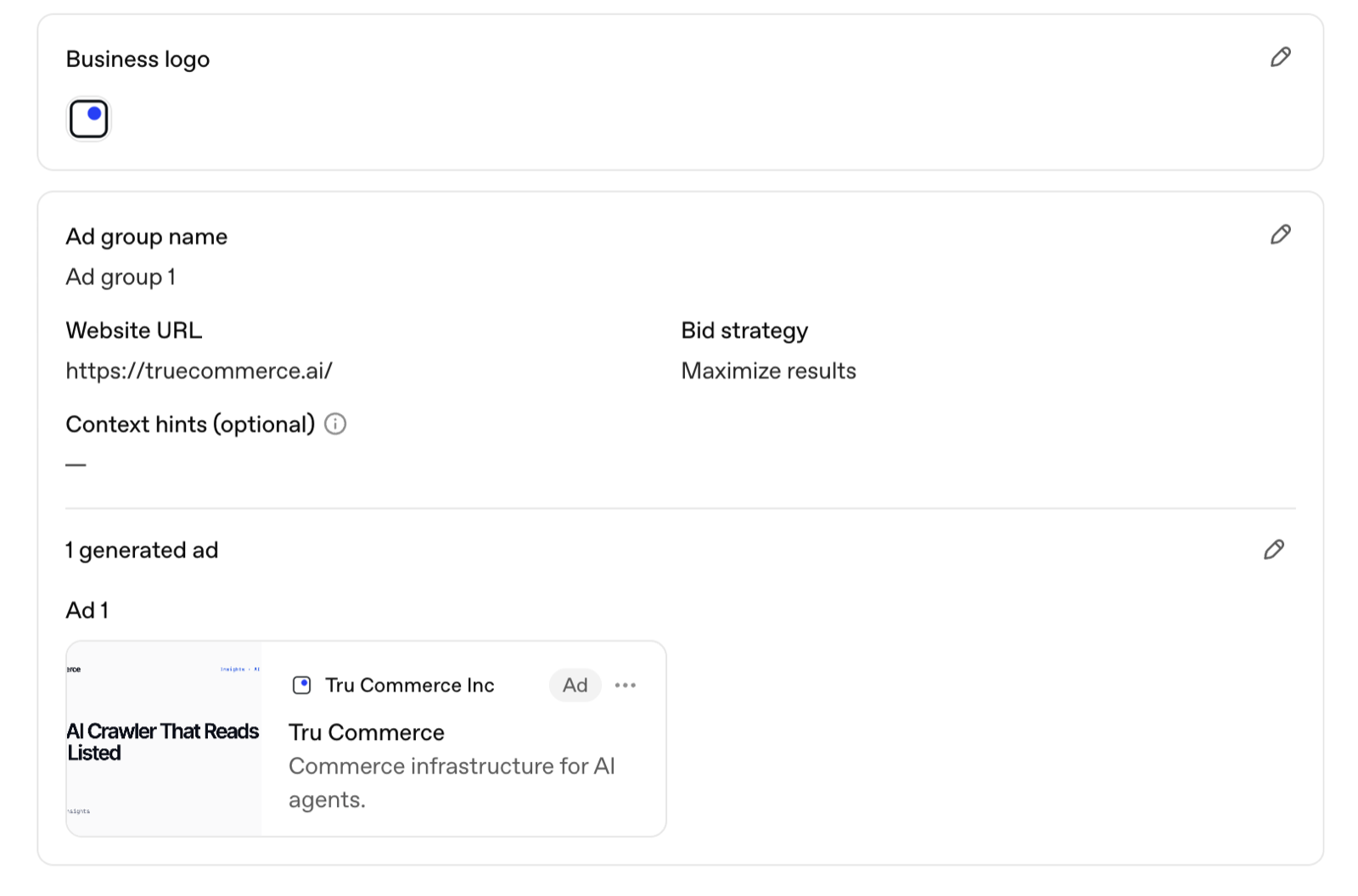
Overview is where Ads Manager drops you after login: spend, impressions, clicks, and conversions across the account, plus a task list. During onboarding this list is the thing to watch - after you confirm your first campaign, it shows the remaining required tasks: finish billing setup and upload the account logo. A yellow banner across the top of Ads Manager tracks them, and ads cannot serve until both clear. In our account, the campaign sat fully built and approved while the logo task quietly held everything back.
Campaigns: where you spend your time day-to-day
The Campaigns section is the working table - every campaign with status, budget, and results, drilling down into ad groups and ads. Two habits from running our own account since July 2026:
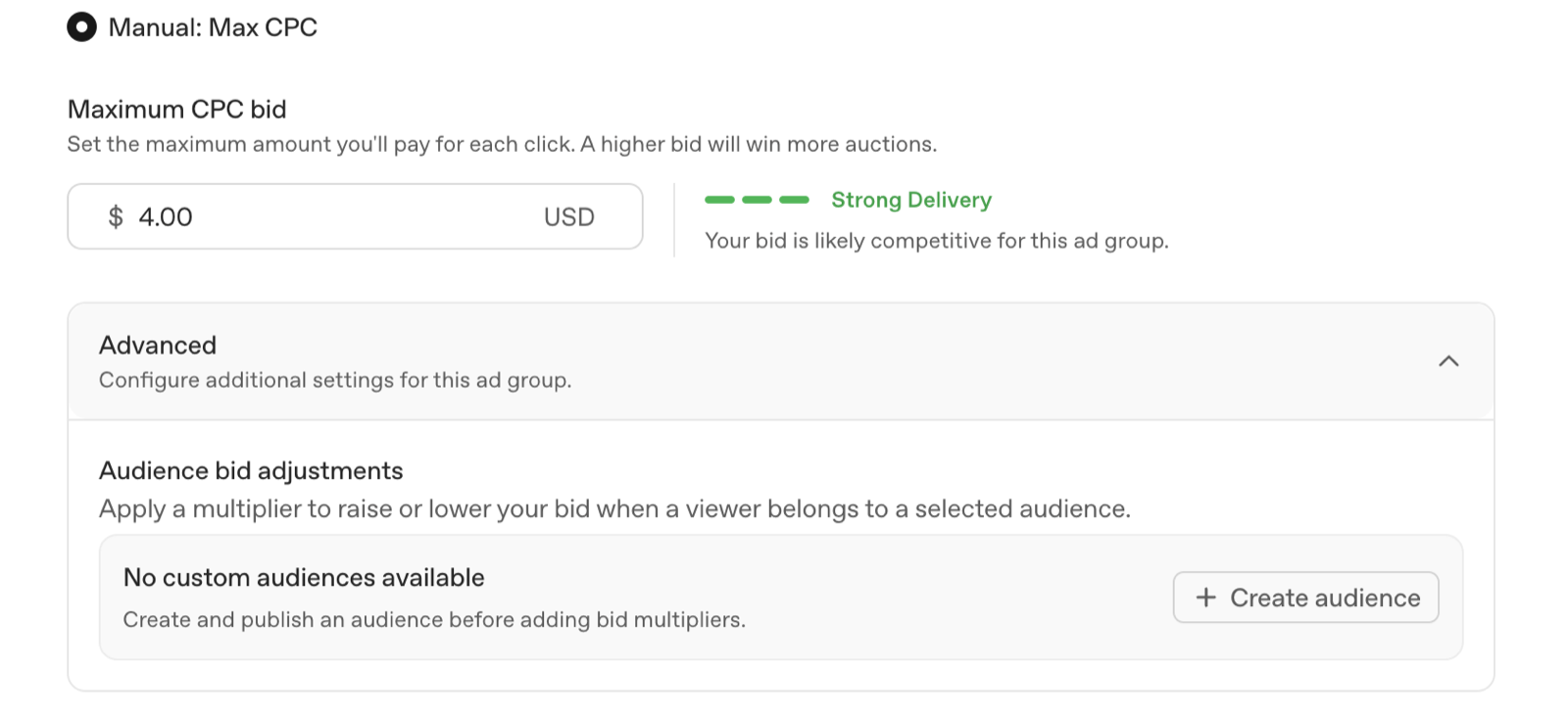
- Check the delivery-strength meter, not just the bid. The ad-group bidding panel shows a live meter against your Max CPC. In our category, $4.00 read "Strong Delivery" - consistent with the $3-5 recommended starting bids across most categories, versus $8-18 in software and finance (WebFX; OpenAI docs, 2026).
- Calibrate expectations to chat, not search. Industry chatbot ad CTR runs ~0.9% versus ~6.4% for Google search ads (eMarketer, 2026); our own US campaigns have averaged ~1.3% CTR (our campaign data). The single ad slot rewards relevance, not volume - the cost math versus Google is its own decision.
Tools: Conversions, Feeds, Change History, Audiences
The Tools menu is where the real infrastructure lives.
Conversions is a four-step wizard, and each step gates the next: create a data source (your pixel - creating one issues the Pixel ID), create a conversion event (standard types like lead_created or order_created, 30-day default window), implement and log the event (the snippet loads oaiq.min.js, captures the click ID into a __oppref cookie, and fires events with an event_id), then link the event to a campaign. An unlinked event still logs, but the campaign optimizes blind. The server-side Conversions API posts the same events to bzr.openai.com/v1/events and deduplicates on the shared event_id - full walkthrough in our conversion tracking guide.
Feeds is where product feed ads live, launched June 2026: upload a Google Shopping-format catalog and ChatGPT auto-generates product ads from it - 100 SKU minimum, up to 1M SKUs (OpenAI docs; Digiday, June 2026). Thin or messy catalogs are locked out at the door, which makes feed quality the real prerequisite. Campaigns has its own scale tool worth knowing here too: bulk uploads, which create or edit ads from a CSV.
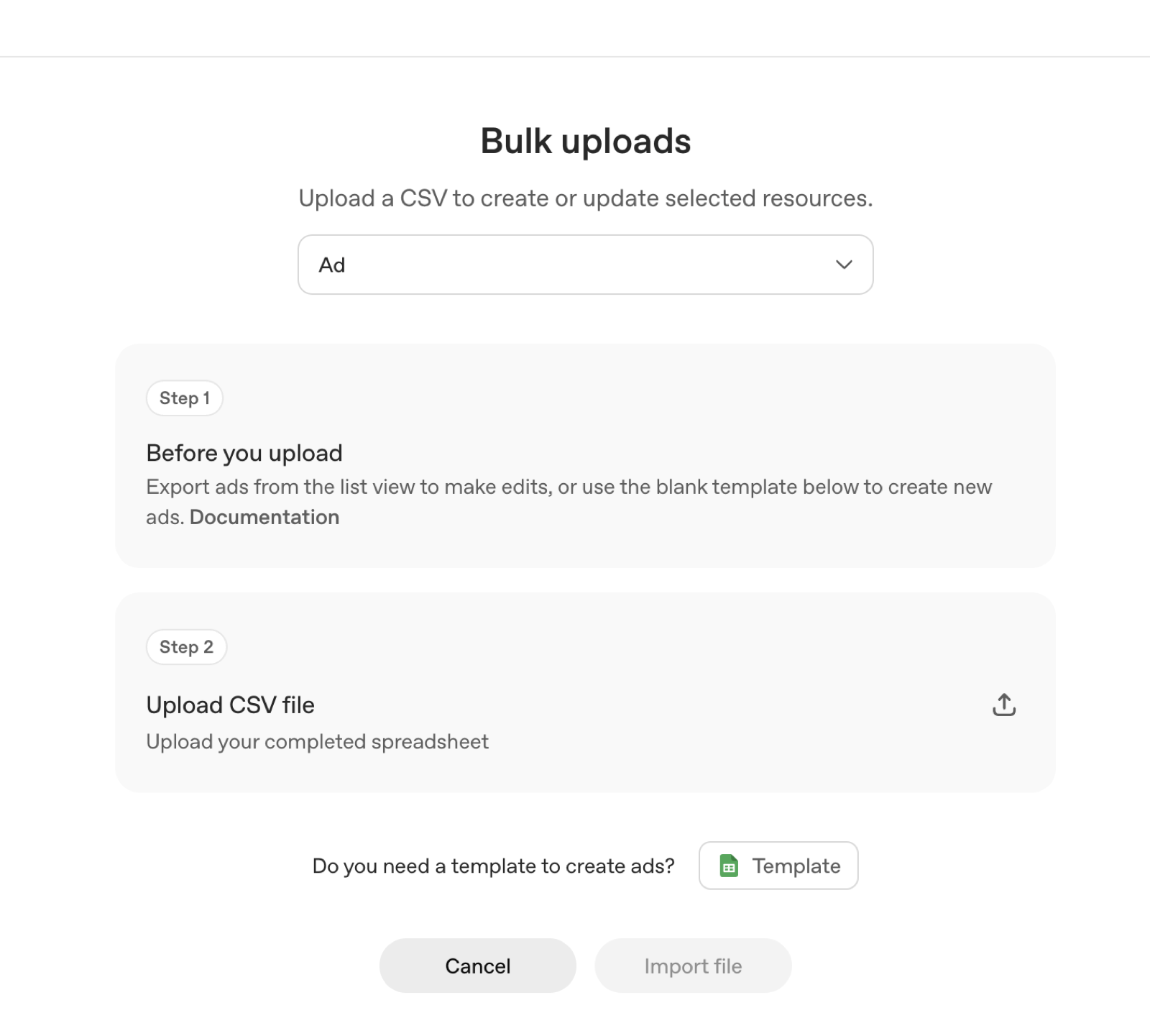
Audiences holds custom audiences, which apply through bid multipliers rather than hard inclusion lists. No demographic profiles are sold, and user data is not sold to advertisers (OpenAI).
Change History is the account audit log - every edit to campaigns, budgets, and bids, timestamped by user. Unglamorous until a campaign's delivery shifts and you need to know what changed the day before.
Billing and Settings
Billing is postpay - you are charged after delivery, not upfront. The section holds your payment method, tax details, and invoices; it is also half of the required-tasks gate above.
Settings covers the account itself: business details, the account logo, and user access. One check worth making here on day one: your business website and every destination URL. The forms validate that a URL resolves - not that it is yours.
Where Tru Commerce fits
Ads Manager rents the conversation; it never buys the answer. AI-referred visits to US retail sites converted at a rate 60% higher than non-AI traffic in July 2026, the eleventh straight month ahead (Adobe Analytics, via Digital Commerce 360, 19 August 2026).
We run both. Before you fund a campaign in Ads Manager, run the free Citation Rank scan to see where ChatGPT, Gemini, and Perplexity rank your brand organically - results in 24 hours. Then use our ChatGPT Ads hub to decide what the paid layer should do on top.
This is the same approach that took House of Zelena from #6 to #1 across 3 LLMs in 6 months - see the House of Zelena case study. If you want to see where you stand before committing, start with Visibility Score.
FAQ
OpenAI Ads Manager (ads.openai.com) is the self-serve console for running ads in ChatGPT. The beta opened in May 2026 with no minimum lifetime spend. You build campaigns, ad groups, and ads, set budgets from $25/day, and track conversions with OpenAI's pixel.
Sign up at ads.openai.com. Since the May 2026 self-serve beta there is no sales call and no minimum lifetime spend (OpenAI, May 2026). You verify your business through Persona, add billing and a tax ID, and upload an account logo before ads can serve.
No. There are no keywords. Matching is conversational - based on the current conversation, past chats, and past ad interactions. You steer it with context hints: OpenAI recommends 5-15 short buyer-moment descriptions per ad group (OpenAI help docs, 2026).
Minimum daily budget is $25. Recommended starting CPC bids run $3-5, rising to $8-18 in software and finance; CPM options run roughly $25-60 (WebFX; OpenAI docs, 2026). Billing is postpay - you are charged after delivery.
Under Tools → Conversions, a four-step wizard walks you through it: create a data source (your pixel), create a conversion event, implement and log the event, then link it to a campaign. The pixel is oaiq.min.js; a server-side Conversions API adds redundancy.
Sources
- 1.Ads in ChatGPT: The Basics - OpenAI Help Center, 2026
- 2.Create campaigns for ChatGPT - OpenAI Help Center, 2026
- 3.Ads Manager Beta: account setup - OpenAI Help Center, 2026
- 4.Adobe: AI referral traffic to retail sites converts 60% higher, July 2026 data - Digital Commerce 360, 2026
Continue reading
October 10, 2026
ChatGPT Ads in India: six weeks in, on the record
ChatGPT Ads switched on in India on 27 August 2026. Six weeks on, eight articles in five outlets quoted us and TechTimes cited our benchmarks. Every question the press asked, every answer verbatim and linked, and the numbers behind each one.
September 4, 2026
Criteo Prompt Smart Ads: 2,000 Brands on ChatGPT and a 4x Spend Lift
Criteo was the first ad-tech partner inside OpenAI's ChatGPT ads pilot. Its Prompt Smart Ads product auto-generates creatives and context hints matched to how people actually prompt - here is what it is, the numbers behind it, and what its creative reports teach every advertiser.
September 2, 2026
ChatGPT Ads Conversion Strategies: What the Query-Mix Data Says to Do
Only ~1 in 10 ChatGPT conversations carries commercial intent, 76.4% of shopping answers already show an ad, and market leaders buy almost none of them. Four strategies built on that data - not on search-ads instinct.